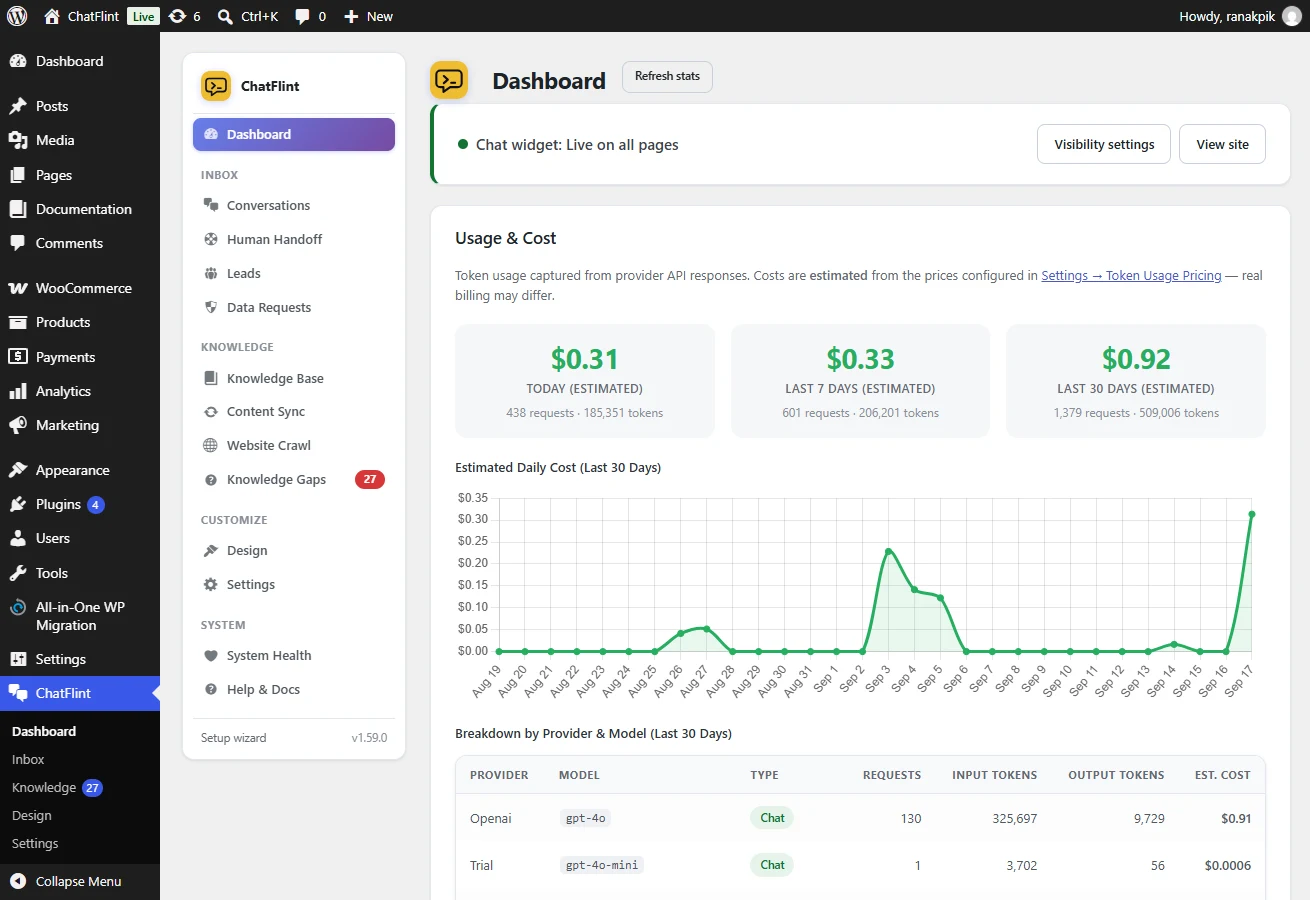
You pay your AI provider directly, so the plugin cannot bill you — but it does record every call it makes, which means it can tell you what that bill is going to look like before it arrives.
What is recorded
Every request stores its provider, model, type (chat or embedding) and input and output token counts. From those the Dashboard shows a breakdown by provider and model over 30 days and an estimated daily cost chart.
Where the prices come from
Costs are an estimate: token counts are exact, prices are what you tell the plugin. Under Settings → Pricing & Limits → Token Usage Pricing there are three rates — chat input, chat output and embeddings — per million tokens.
- Auto-fill rates from the selected model keeps them in step with the model you picked, using published list prices.
- Switch it off to type your own, which is what you want if you are on a negotiated rate or a provider the plugin does not know.
Provider prices change without warning. Treat the figure as an order of magnitude, and check it against your first real invoice.
Putting a ceiling on it
Three separate limits, all under Settings → Pricing & Limits:
- Messages per window — how fast one visitor can ask. Stops a single person, or a script, from running up a bill.
- Messages per day — how much one visitor gets in a day.
- A global daily cap — the whole site’s ceiling. When it is reached the chat answers with your rate-limit message instead of calling the provider. This is the one that protects you from a bad day.
The answer cache is the other half of the same job: a repeated question is served from your own database with no provider call at all, so it is free and instant.
Reading the panel
- Cost climbing while conversations are flat → answers are getting longer. Check Answer depth and Maximum answer length.
- A model you do not recognise → failover has been stepping in; the Provider Failover panel says how often.
- Embedding cost that will not settle → something is re-indexing repeatedly. System Health will say what.